Orphan Parts Lens for judges
Orphan Parts Lens turns the things in a drawer into a private inventory with evidence: a photo of a label becomes values you confirm one by one, and from there each item is kept and fixed, reused in a build, sold or given away, or completed with the part it is missing from Facebook Marketplace. Meta's models read and write; rules decide what is kept.
- The hosted app: https://orphan-parts.pages.dev (nothing to install).
- The Android app: the APK from the latest release.
- The access code comes with the submission, separately. It is never in this repository.
- The documentation: https://nikolareljin.github.io/orphan-parts/.
Fast path
Without the code (under two minutes)
The site opens as the demo: recorded answers for the demo set, nothing saved, nothing spent. The line at the foot of the page says Demo: recorded answers only.
- Open https://orphan-parts.pages.dev. The first page, Read a label, shows the demo set's photos grouped by item (monitors, ThinkPads, a laptop motherboard, a graphics card, a slot 1 processor, a powerline adapter, a frappé maker's agitator).
- Tick one photo, several, or Select all photos of this item; leave Find the label in the photo first on and press Read the label. Each reading appears side by side under Recorded answer for this sample.: the SAM 3.1 pass over the photo (the regions it found, and a note for each of item, label and connector it did not), then every value Muse Spark read with its unit, confidence, source and the text as printed.
- Open My inventory: the demo shelf, the set's items as the owner marked them public. Open one to see its photos beside its values, each with where it came from, and any picture drawn for it. Measure a feature in the item marks a ruler and a feature on one of the set's photos and computes the dimension. Deciding, pricing, drafting and searching ask for the code (demo: the code unlocks saving, drafts, prices, projects and captures, or Sign in with the access code to use this.).
With the access code (about ten minutes)
- Sign in with the code in the header, type the code, Enter. The header now shows Sign out; the foot of the page counts the live calls used today.
- Read a label: choose up to four photos of a label of your own (JPEG, PNG or WebP), Read the label (live, on the models), then Save privately. The page moves to My inventory; Open the new item, where every value read is marked to confirm: Accept or Reject each one.
- In the item, Decide: What should I do with it? writes three cards, Keep and fix, Reuse it and Sell or give away, for your Profile (skills rated none to pro; without one, for an average person, and the panel says so) and recommends one. Choose this records the choice and moves to where it leads.
- On a Reuse it card, Draw it: Muse Image draws how the finished project could look, one image call, captioned as drawn. The same button is on each project under Build and reuse.
- Prepare to sell or give away: fill Listing details (condition, what is included, faults, area, asking price), press Write the draft, and the draft comes back in Marketplace's fields, each with Copy, with Download photos (a zip in the draft's order) and Open Marketplace, which opens Marketplace's create page in a new tab. Posting is yours.
- Find a part: name what you need (Looking for, a Profile or the item it is Needed
by, Max price) and Start the search. In the search, Plan the search writes three
to six Marketplace search links and a match pattern; open a link, paste listings into
Bring back listings (separated by
---or a blank line), and Score the listing (Score 3 listings for three) ranks each as fits, maybe or does not fit with no model call. Check fit on one reads it into a candidate with the questions to ask the seller. - Pair the phone: at the foot of the page, open Pair the phone. In the Android app, on the Backend tab, Scan to pair and point the camera at the QR code, then Check. Install the app first; the pairing guide shows every screen.
What to look for
Meta models, each with one job.
| Model | Where you see it |
|---|---|
| Muse Spark | reads a label into typed values with a confidence each; writes the decision cards, the ideas for what an item is good for, the Marketplace draft, the search plan and the build proposals; reads a listing brought back; searches the web for price guidance with citations |
| SAM 3.1 | looks for the item, the label and the connector in a photo, so the label crop is what gets read when one is found (the overlay under each reading, with a note when nothing was found) |
| Muse Image | Draw it: a picture of what an item could become or of a finished project, on a click only, always captioned as drawn and never used as evidence |
| Muse Voice Transcribe | a voice note from the phone's Talk tab or a capture, kept on the item as the owner's words |
Model IDs and request shapes are on Meta models. Muse Wonder, Muse Glimmer and Muse Spark Open were considered and are not used; their pages say what for.
The rules decide, the model proposes.
- Every value carries its source (observed on a photo, a label crop, a measurement, a listing, stated by the owner) and stays to confirm until accepted.
- Does it fit? ends in one verdict from a five-step ladder decided by the category's rules, never by the model. An unknown is never a pass; it becomes a question for the seller.
- A measurement is geometry from marks on a photo with a ruler, with its uncertainty; a blurred, oblique or unreferenced capture is refused with the reason.
- Price guidance keeps four figures apart (asking, sold, reported by you, the model's estimate), each comparable with its page and date, and calls weak evidence weak.
- A draft line that rests on nothing confirmed is dropped and listed; faults and what was not tested are always disclosed; a serial number, MAC address or IMEI never reaches the model.
- Nothing is posted, searched or fetched on Marketplace for you: no public API posts a personal listing or searches Marketplace, so the app prepares the fields and the search links and you run them.
Install the Android app
The app runs on Android 8.0 and newer. It is not on Google Play, so it installs from this repository's releases as an app from an unknown source.
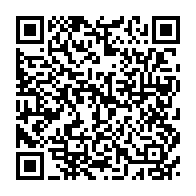
- Scan the QR code with the phone's camera, or open
https://github.com/nikolareljin/orphan-parts/releases/latest/download/orphan-parts.apkin the phone's browser. The newest release's APK (about 8 MB) downloads. The release page carries the same file asorphan-parts-<version>.apkunder Assets. - Open the download (the notification, or the browser's Downloads page). The APK is signed with the build's development key, not a Google Play key, so Android asks before installing: on the prompt tap Settings, turn on Allow from this source for the browser, and go back. On Android 8 and newer that permission is per app, under Settings, Apps, Special app access, Install unknown apps (menu names vary a little by maker); on older phones it is one switch, Settings, Security, Unknown sources.
- Tap Install. If Play Protect says the app is from an unknown developer, tap More details, then Install anyway: every app installed outside Google Play carries a key that is not a store's.
- Tap Open. The app opens on its Backend tab.
- Scan it with Play Protect: in the Google Play Store app, tap the profile icon at the top right, Play Protect, Scan. The scan covers every installed app, this one included, and should report no harm. Then turn the permission from step 2 off again: Settings, Apps, Special app access, Install unknown apps, the browser, Allow from this source off.
From a computer over USB (optional)
Only if you prefer a cable, or the phone's browser refuses the download. On the phone:
Settings, About phone (on Samsung, About phone, Software information), tap
Build number seven times; then Developer options (under System on some phones),
USB debugging on. Connect a cable that carries data, choose File transfer if asked, and
on Allow USB debugging? tick Always allow from this computer and tap Allow. Then one
command on the computer; it downloads Google's platform-tools (about 10 MB) when adb is
missing, then the latest release's APK, installs it and opens the app. No Java, Android SDK or
Docker is needed.
- macOS, Linux, or WSL on Windows:
curl -fsSL https://raw.githubusercontent.com/nikolareljin/orphan-parts/main/scripts/phone-install.sh | bash
From a clone of the repository: bash scripts/phone-install.sh.
- Windows, in PowerShell, from a clone or after downloading the script:
powershell -ExecutionPolicy Bypass -File scripts\phone-install.ps1
If Windows does not see the phone, install the maker's USB driver (Samsung Smart Switch, Google USB Driver, and so on) and run it again.
--version x.y.z (-Version x.y.z on Windows) picks a release other than the latest; --apk file.apk (-Apk)
installs a file you already have.
Pair the phone with the hosted app
The QR code never carries the access code. Signed in, it carries the server's address and a pairing good for fifteen minutes, with which the app claims an access code of its own and keeps it. Every screen, pictured: Pair the phone with the web app.
- Open https://orphan-parts.pages.dev on a laptop (or on the phone's browser) and Sign in with the code.
- At the foot of the page, open Pair the phone. A QR code appears.
- In the app, on the Backend tab, tap Scan to pair and point the camera at the QR code on the other screen. The app says Paired with https://….modal.run; this phone now has a code of its own (phone …, until …).
- Tap Check. It says Backend ok, Model API live for the code, recorded otherwise, demo gated. The phone's own code (phone …, until …) opens it.
Without Google Play services, or without a second screen: the page shows the address under the QR code. On the Backend tab type it into Backend URL, type the access code into the field under it, tap Save, then Check; the answer ends with The code opens it.
The phone's own code lasts thirty days, or until the code you were given ends if that is
sooner. A QR code scanned from a page that is not signed in pairs the phone as the demo
(recorded answers, nothing kept): sign in first. Unpair on the Backend tab makes the
phone forget the address, its code and its session; the code itself is revoked on the server with
./dev keys revoke "phone …".
On the phone
- Capture tab: photos of the item and its label (the label filling the frame), a short video if it moves or makes a sound, hold to talk and say what you know, a name, Send.
- On the site, Inbox: the capture is there. Read it turns it into an item: the label read into values to confirm, your words kept as yours, the photos beside the values.
- Talk tab: for an item already in the inventory, hold and say what you know; the transcript is kept on the item and read back.
- From a laptop instead, the Inbox's Send a capture from this computer takes photos and a short MP4 or 3GP video.
Run it on your own computer
Docker Desktop on macOS or Windows (run the commands in WSL there), Docker Engine on Linux:
git clone https://github.com/nikolareljin/orphan-parts.git
cd orphan-parts
cp .env.example .env    # set MODEL_API_KEY; left empty, the stack runs on recorded answers
./dev up                # the web app on http://localhost:5173, the API on :8000
./dev demo              # optional: load the demo set (recorded answers, nothing spent)
A local stack has no access code, so every page is open. ./dev gate on turns the gate on and
prints a code for you and one for the phone; ./dev gate off turns it off. To pair a phone,
open the web app at the computer's network address (for example http://192.168.1.20:5173,
with the phone on the same network), not at localhost, which on the phone means the phone.
With the Android tools installed (./dev setup --android), ./dev phone builds the app,
installs it over USB and prints the pairing code in the terminal. ./dev help lists every
command; the Quickstart has
the rest.
Costs and limits
- Without the code, nothing is spent. Every answer is a recording of the demo set; the Model API is never called and nothing is kept. A visitor cannot upload a photo: the gallery is the reader. Each reading or measurement is a try, 20 per address and hour.
- With the code, each call that reaches a model is counted first: 20 per session and hour and 300 per day for everyone (UTC), with 429 and a line saying which allowance ran out. Every request of any kind is held to 120 per address and minute; the code may be tried 5 times per address and quarter hour.
- A spend cap stops every model call once the ledger reaches it (20 USD on the hosted app), and the operator can pause spending without taking the site down. The live calls used today show at the foot of every page.
- Rough cost per call at the published rates: a label read $0.003 to $0.008, finding the label $0.0025, a draft, the decision cards or a search plan under $0.01, a drawing $0.01, price guidance with web search $0.04 to $0.07, a build proposal $0.01 to $0.03.
- Limits on what goes in: four photos per reading, 12 MB per file, a video of 60 MB, a voice note of ten minutes.
Privacy: what a visitor never sees
Items are private by default. The owner can mark an item public; the demo set loads that way. A visitor without the code sees a public item's values, photos and drawn pictures, and never:
- where it is kept, the owner's notes, a voice note or a clip;
- a draft, the listing details (the lowest acceptable price and the reason for selling are private even from the draft), price guidance, a decision or its cards;
- searches, listings brought back, candidates, projects, the profile or the Inbox's private captures.
Photos are re-encoded on arrival, with EXIF and GPS dropped; the phone re-encodes before sending. A serial number, MAC address or IMEI never goes to a model. A session is one cookie that holds no account; issued codes are kept as hashes and logged by their label only. Nothing is posted or searched anywhere on anyone's behalf. Details: Privacy.
If something does not work
| What you see | What to do |
|---|---|
| The browser will not open the APK, or "blocked by your admin" | Open it from the browser's Downloads page, or install over USB |
| "App not installed" | An earlier release is on the phone: each release is signed with a fresh development key, and Android refuses an update under another key. Uninstall it (Settings, Apps, Orphan Parts Lens, Uninstall), then install again |
| Play Protect: "unsafe app blocked" or "unknown developer" | More details, Install anyway; then a Play Protect scan (step 5 of the install) checks it |
phone-install: "the phone has not allowed this computer" |
Unlock the phone, tick Always allow, tap Allow on its prompt, run again |
phone-install: "no phone found" |
A cable that carries data; USB debugging on; File transfer chosen; on Windows the maker's USB driver |
| The app: "that code points at localhost" | The site was opened at localhost; open it at the computer's network address, or use the hosted site |
| Check: "Not reachable" | The phone is off the server's network, or the address has a typo; the hosted address is https://, a local one http://…:5173 |
| Check: "The code is refused" | The code was mistyped or has expired |
| "This phone's code has ended or was revoked; scan the code on a signed-in page" | The code you were given, or the phone's own, has ended or was revoked; the app has cleared it: sign in on the site with a current code and scan again |
| After a scan: "no code of its own: the pairing has ended" | The fifteen minutes ran out before the claim: reload the signed-in page and scan its new code |
| After a scan: "no code of its own: the code that paired this phone has ended" | The code the page was signed in with has ended or was revoked: sign in again with a current code and scan the new QR code |
| After a scan: "no code of its own: … does not claim a phone's code" or "… already" | The pairing was spent or did not come from a scan: reload the signed-in page and scan within fifteen minutes |
| After a scan: "no code of its own: a phone's own code does not pair another phone" | The page was signed in with a phone's code: sign in with the code you were given and scan again |
| After a scan: "no code of its own: this code has paired 10 phones already" | Have one revoked with ./dev keys revoke "phone …" on the server, or use another code |
| After a scan: "no code of its own: too many tries" | Wait the seconds it names and scan again |
| "Sign in with the access code to read your own photos." | Uploads are for signed-in sessions; signed out, pick photos from the gallery |
| "this address's hourly allowance of tries is used; wait … s" (or "… has fewer than … left") | Without the code each reading (one photo, or all photos of one item) and each measurement is a try, 20 per address and hour: pick fewer photos, or wait the seconds it names |
| "this visitor's hourly allowance is used; try again in … s" | Wait the seconds it names; the allowance is 20 calls that reach a model per session and hour |